
Changing Your Scanner Type in IntraoralScan
Shining Intraoral Scanner Not Connecting After Update or New Installation? Here’s a Simple Fix
If your Shining Intraoral Scanner isn’t connecting after a software update or you’ve just installed a brand-new scanner, don’t worry—there’s an easy solution. One common issue is that the scanner type selected in the Shining IntraoralScan software doesn’t match your actual device model.
✅ To fix it, open the software settings and double-check that the correct scanner type is selected.
This quick step can often resolve the “scanner not connected” error without further troubleshooting.
Click The Gear Icon
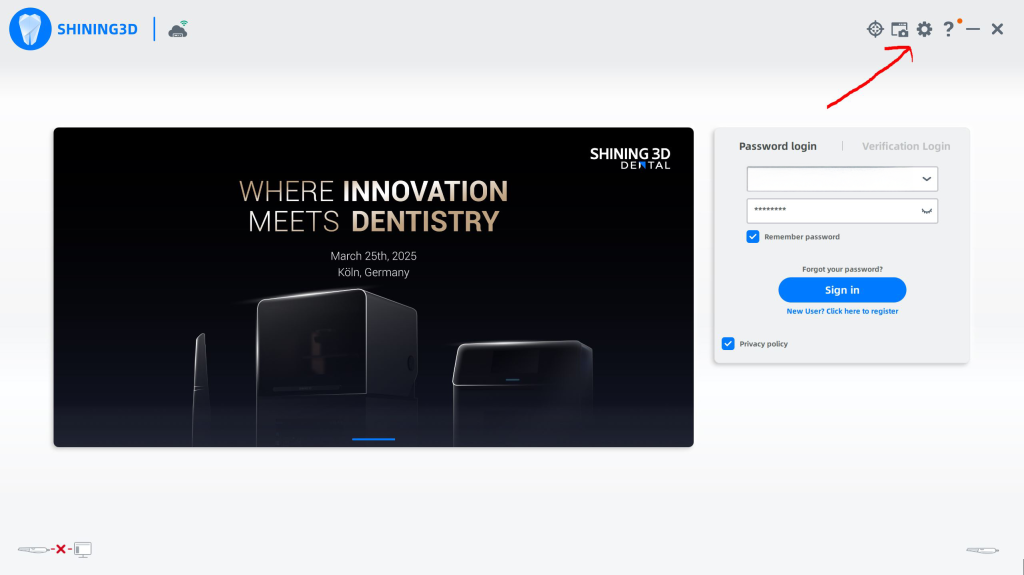
- Click The About Tab
- Click The Up/Down Arrows

- Select your scanner type and click yes
